Best Cordless Drills in the UK (2026 Guide)
Choosing the best cordless drill UK can be confusing when you’re buying your first drill. There are different voltages, battery sizes, torque settings, hammer functions and brands to consider, and it isn’t always obvious what you actually need for DIY.
There are different voltages, battery sizes, torque settings, chuck sizes and motor types to consider. You may also have to decide between a drill driver and a combi drill, and then choose which battery system and brand you want to use.
I’ve been through that learning process myself. After years of using cheaper cordless drills, I eventually moved to an 18V DeWalt drill and found there was a noticeable difference in how the tool performed. As my DIY projects became more demanding, I also added an impact driver and extra batteries, which made jobs such as building a deck much easier.
That experience also taught me that buying a cordless drill isn’t simply about choosing the drill with the biggest specification.
The right choice depends on the type of DIY you do, the materials you work with, how often you use the drill and how comfortable it is to handle.
This guide explains the main things you need to know before buying a cordless drill, including voltage, batteries, torque, hammer functions, chuck sizes, motors, drill bits and battery platforms.
We’ll also look at the differences between drill drivers and combi drills, when an impact driver might be useful and what beginners should look for when comparing complete kits and bare tools.
Quick Verdict
If you’re looking for the best cordless drill UK for general DIY, an 18V model is a practical starting point for many homeowners.
An 18V drill can be suitable for:
- Drilling timber and sheet materials
- Driving screws
- Furniture assembly
- Shelves and general fittings
- Pilot holes
- Larger DIY projects
- Suitable masonry when using a combi drill and the correct masonry bit
A 12V drill can make more sense if you mainly do lighter jobs and want something smaller and easier to handle. An 18V drill is worth considering if you want something with more capacity for larger DIY projects.
Before buying, look beyond voltage and consider:
- Battery system – will the batteries work with other tools you may buy later?
- Battery capacity – 2Ah batteries are lighter, while 4Ah and 5Ah batteries generally provide more capacity.
- Torque and clutch settings – useful for controlling screwdriving.
- Hammer function – useful if you need to drill suitable masonry.
- Chuck size – 10mm and 13mm are common options.
- Motor type – brushless motors are common on higher-specification drills.
- Weight and balance – particularly important if you’ll be using the drill for longer periods.
- What is included – check whether batteries and a charger are included.
One of the biggest decisions is the battery platform. Buying your first cordless drill can also mean choosing the battery system you may use for future tools such as impact drivers, circular saws and multi-tools.
There isn’t one cordless drill that is right for everyone. The aim is to choose a drill that matches the work you actually expect to do.
What Is a Cordless Drill?
A cordless drill is a battery-powered tool designed mainly for drilling holes and driving screws. Because it doesn’t need to be connected to a mains socket, you can use it almost anywhere without dealing with a power cable.
A typical cordless drill has several important parts:
- Battery – supplies power to the drill.
- Motor – provides the power to turn the chuck.
- Chuck – holds the drill bit or screwdriver bit.
- Clutch – controls the amount of torque used when driving screws.
- Trigger – controls the speed of the drill.
- Gear selector – usually provides a lower-speed setting for controlled work and a higher-speed setting for faster drilling.
- Direction switch – changes between forward and reverse.
Some cordless drills are combi drills, which also have a hammer-drilling function. This can be useful for drilling suitable masonry such as brick and blockwork when used with the correct masonry bit.
What Can You Use a Cordless Drill For?
A cordless drill can be useful for a wide range of everyday DIY jobs, including:
- Drilling holes in timber
- Drilling sheet materials
- Driving screws
- Making pilot holes
- Furniture assembly
- Installing shelves and fittings
- General maintenance and renovation work
- Drilling suitable masonry with a combi drill
The exact capabilities depend on the drill, battery, bit and material you’re working with.
A standard drill driver is designed for drilling and screwdriving, while a combi drill adds a hammer function for suitable masonry work. We’ll look at the difference in the next section.
Drill Driver vs Combi Drill
One of the first decisions you’ll come across when buying a cordless drill is whether you need a drill driver or a combi drill.
The main difference is that a combi drill adds a hammer-drilling function, allowing it to drill suitable masonry with the correct bit.
| Job | Drill Driver | Combi Drill |
|---|---|---|
| Driving screws | ✓ | ✓ |
| Drilling timber | ✓ | ✓ |
| Drilling sheet materials | ✓ | ✓ |
| Furniture assembly | ✓ | ✓ |
| Making pilot holes | ✓ | ✓ |
| Light masonry drilling | — | ✓ |
| Hammer drilling | — | ✓ |
Drill Driver
A drill driver is suitable if most of your DIY involves:
- Timber
- Sheet materials
- Furniture
- Shelves and fittings
- Screwdriving
- Pilot holes
It normally has adjustable clutch settings, allowing you to control the amount of torque when driving screws.
Combi Drill
A combi drill performs the same basic jobs as a drill driver but adds a hammer function.
This can make it more versatile if you occasionally need to drill into suitable masonry for jobs such as fitting wall plugs, shelves or other fixings.
However, a combi drill isn’t a replacement for every type of masonry drill. Larger or harder masonry jobs may require a more powerful SDS or rotary hammer drill.
Which Should a Beginner Choose?
If you’re mainly working with timber, furniture and screws, a drill driver may be all you need.
If you want one cordless drill that can also handle occasional masonry work, a combi drill gives you more flexibility.
It’s also worth remembering that an impact driver is a different tool. A common combination is to use the drill for making pilot holes and an impact driver for driving longer screws or larger fixings.do.
What Voltage Cordless Drill Do You Need?
What Voltage Cordless Drill Do You Need?
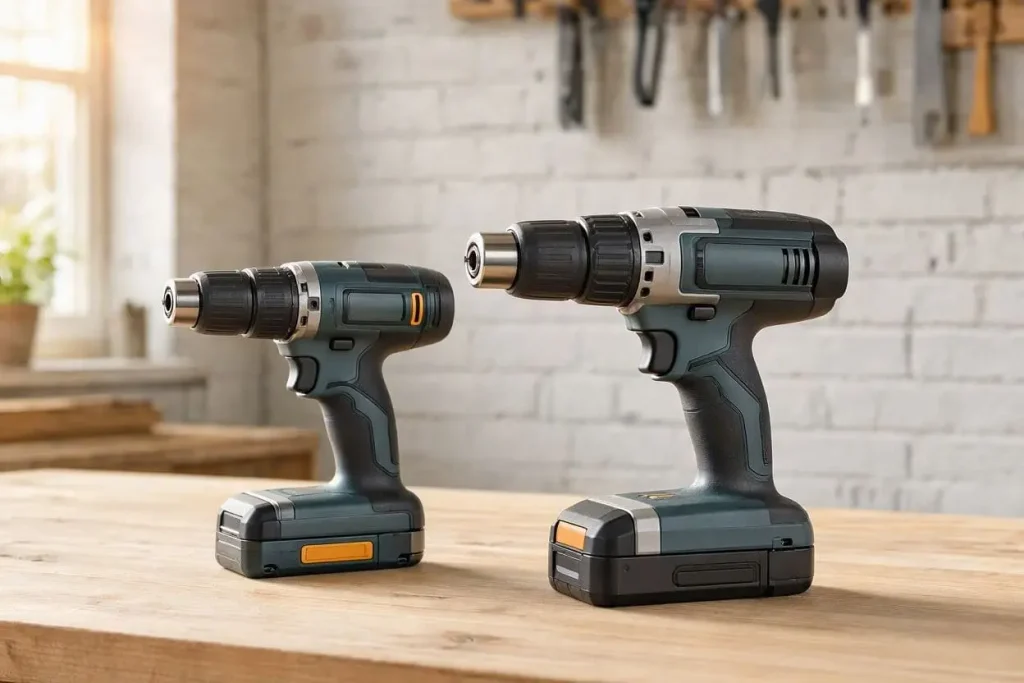
Cordless drills are commonly sold in 12V, 18V and 20V Max versions. The voltage gives you an indication of the drill’s electrical system, but a higher voltage doesn’t automatically mean a better drill.
The right voltage depends on the type of DIY you do, how often you use the drill and how important weight and size are to you.
12V Cordless Drills
12V drills are generally smaller and lighter, making them useful for lighter DIY jobs such as:
- Furniture assembly
- Smaller screws
- Smaller holes in timber
- Shelves and fittings
- Household maintenance
- Working in tight spaces
If most of your DIY involves smaller jobs, a compact 12V drill can be easier and more comfortable to handle.
18V Cordless Drills
18V cordless drills are a popular choice for general DIY and home improvement.
They offer a useful balance between size, power and versatility and can handle jobs such as:
- Larger holes in timber
- Longer screws
- Furniture and timber projects
- Renovation work
- More demanding DIY
- Suitable masonry drilling when using a combi drill and the correct bit
For someone who wants one cordless drill for a wide range of DIY jobs, 18V is a sensible starting point.
What About 20V Max?
Some manufacturers use 20V Max terminology rather than 18V.
These systems are often compared with 18V cordless tools, so don’t assume a 20V Max drill is automatically more powerful simply because the number is higher.
When comparing drills, look at the manufacturer’s specifications, torque, speed, battery, weight and intended use rather than voltage alone.
| Voltage | Typical use | Main advantage |
|---|---|---|
| 12V | Light DIY, furniture and smaller jobs | Compact and lightweight |
| 18V | General DIY and home improvement | Good balance of power and size |
| 20V Max | Similar applications to many 18V systems | Manufacturer’s way of stating voltage |
These are general guidelines rather than strict rules. A well-designed 12V drill can perform better for a particular job than a poorly specified higher-voltage model.
Choosing a Cordless Drill for Comfort
Weight and balance are worth considering, particularly if you use a drill for longer periods.
If you have arthritis, reduced grip strength or hand and wrist problems, a smaller and lighter drill may be easier to control and more comfortable to use. A 12V drill can be worth considering for lighter work even if an 18V model offers more capacity.
This is relevant to anyone who finds a heavy drill tiring to use.
When comparing drills, look at the complete tool with its battery fitted, rather than the advertised drill-body weight alone. Also consider the handle size, trigger pressure, balance and overall length.
Should a Beginner Buy an 18V Drill?
For many DIY beginners, an 18V drill is a practical starting point because it provides enough capacity for a wide range of projects without necessarily being as large as heavier professional models.
There’s another reason to think carefully about the choice: the battery platform.
If you later buy an impact driver, circular saw, reciprocating saw or multi-tool from the same manufacturer, you may be able to use the same batteries.
That means your first cordless drill can influence which battery system you build around.and battery platforms in more detail in the next section.
Understanding Cordless Drill Batteries
The battery is one of the most important parts of a cordless drill, but it can also be one of the most confusing things for a first-time buyer.
You’ll commonly see batteries described by their capacity, such as 2Ah, 4Ah or 5Ah.
What Does Ah Mean on a Cordless Drill Battery?
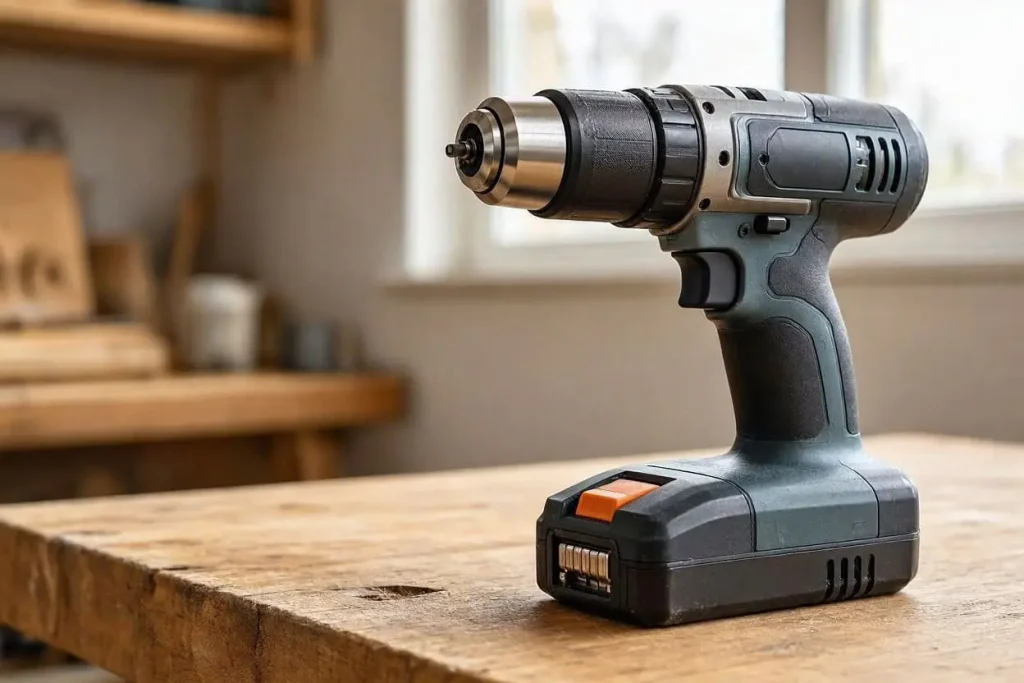
Ah means amp-hours and is a measure of battery capacity.
In simple terms, a higher Ah rating generally means the battery can store more energy and may provide longer runtime, although actual runtime depends on the tool and how hard it is being used.
As a general guide:
| Battery | Typical characteristics | Suitable for |
|---|---|---|
| 2Ah | Smaller and lighter | Light DIY and shorter jobs |
| 4Ah | More capacity with moderate weight | General DIY |
| 5Ah | Higher capacity but heavier | Larger projects and longer use |
A 5Ah battery isn’t automatically the best choice. A smaller 2Ah battery may be preferable when you’re assembling furniture or doing short jobs because it makes the drill lighter.
Does a Bigger Ah Battery Give You More Power?
Not necessarily.
Voltage and Ah measure different things.
Voltage relates to the electrical system the tool operates on, while Ah describes battery capacity.
A higher-capacity battery generally provides more stored energy, but it doesn’t automatically make the drill more powerful. Performance also depends on the motor, gearing, electronics, battery design and the work being carried out.
Why Battery Compatibility Matters
Many manufacturers use battery platforms across a range of cordless tools.
Depending on the manufacturer and battery system, the same batteries may be used in tools such as:
- Cordless drills
- Impact drivers
- Circular saws
- Reciprocating saws
- Oscillating multi-tools
- Angle grinders
- Sanders
- Garden tools
This is why choosing your first cordless drill can be more important than simply choosing the cheapest drill body.
Once you already own compatible batteries and a charger, buying future bare tools can sometimes be more economical.
My Experience With Cordless Drill Battery Systems
When I first started using cordless drills, I didn’t really understand battery platforms or why the battery and charger mattered so much.
After using cheaper drills, I eventually moved to an 18V DeWalt drill and started thinking differently about cordless tools.
When I later built a deck, I bought a DeWalt impact driver and additional batteries. I used the drill to make pilot holes and the impact driver to drive the longer screws.
That doesn’t mean one particular brand is right for everyone. The important lesson is that your first cordless drill can become the starting point for a wider battery system.
Bare Tool or Complete Kit?
A complete kit may include the drill, one or more batteries, a charger and sometimes a case or bag.
A bare tool normally includes the drill body without a battery or charger.
If you’re starting from scratch, compare the complete package rather than just the drill price.
A bare tool can make sense if you already own compatible batteries and a charger.
Do You Need Extra Batteries?
Not necessarily.
For occasional DIY, one battery may be enough. A second battery becomes more useful when you’re working on a larger project and want to use the drill while another battery is charging.
The important thing is to consider the whole battery system, rather than assuming you need several batteries from the beginning.
Cordless Drill Chargers Explained
The charger is another part of the cordless drill system that beginners sometimes overlook.
A charger needs to be compatible with the specific battery system you’re using. The fact that two batteries have the same voltage doesn’t necessarily mean they can share a charger, particularly when they come from different manufacturers.
How Long Does a Cordless Drill Battery Take to Charge?
Charging time varies depending on:
- Battery capacity
- Charger output
- Battery condition
- The manufacturer’s charging system
- Whether the charger is standard or fast/rapid
A higher-capacity battery can take longer to charge, while a compatible rapid charger may reduce the waiting time.
For occasional DIY, a standard charger may be perfectly adequate. If you’re regularly working on larger projects, faster charging can be more useful.
Always follow the manufacturer’s instructions for charging, storage and use.
Check What’s Included
Before comparing prices, check whether the product includes:
- Battery
- Charger
- One or more batteries
- Case or storage bag
A drill that looks cheaper may be a bare tool, while a slightly more expensive product may include a battery and charger.
For a first cordless drill, think of the purchase as a complete system:
Drill + battery + charger
That makes it much easier to compare the actual value of different kits.more important purchase than it initially appears.
How Much Torque Do You Need on a Cordless Drill?
Torque is the twisting force produced by a cordless drill. It’s particularly important when driving screws, but more torque isn’t automatically better.
Most cordless drills have a numbered clutch that allows you to control how much torque is applied when screwdriving.
What Do the Torque Settings Do?
The numbered settings control when the clutch slips, helping prevent the drill from continuing to apply force once the selected level has been reached.
A simple starting point is:
| Setting | Typical use |
|---|---|
| Low | Small screws and softer materials |
| Medium | General screwdriving |
| Higher | Larger screws and harder materials |
| Maximum | Jobs requiring more torque |
These are only general guidelines. The numbers aren’t standardised, so a setting of 10 on one drill doesn’t necessarily equal the same torque as 10 on another.
For drilling, you would normally use the drill setting rather than the numbered clutch positions.
How Much Torque Do You Actually Need?
For most everyday DIY, you don’t need the highest torque specification available.
The useful amount of torque depends on the motor, gearing, battery, electronics and overall design of the drill, not just the maximum figure printed in the specifications.
For very long or large screws, an impact driver may be more suitable than trying to force a standard drill to do the job.
Torque and Speed
Cordless drills normally have different speed settings.
The lower speed is useful for more controlled drilling and screwdriving, while the higher speed can be useful for faster drilling where appropriate.
For beginners, the clutch is particularly useful because it helps reduce the chance of driving a screw too far into the material.
A good approach is to start with a lower clutch setting and increase it gradually if more torque is needed.
What Is the Hammer Function on a Cordless Drill?
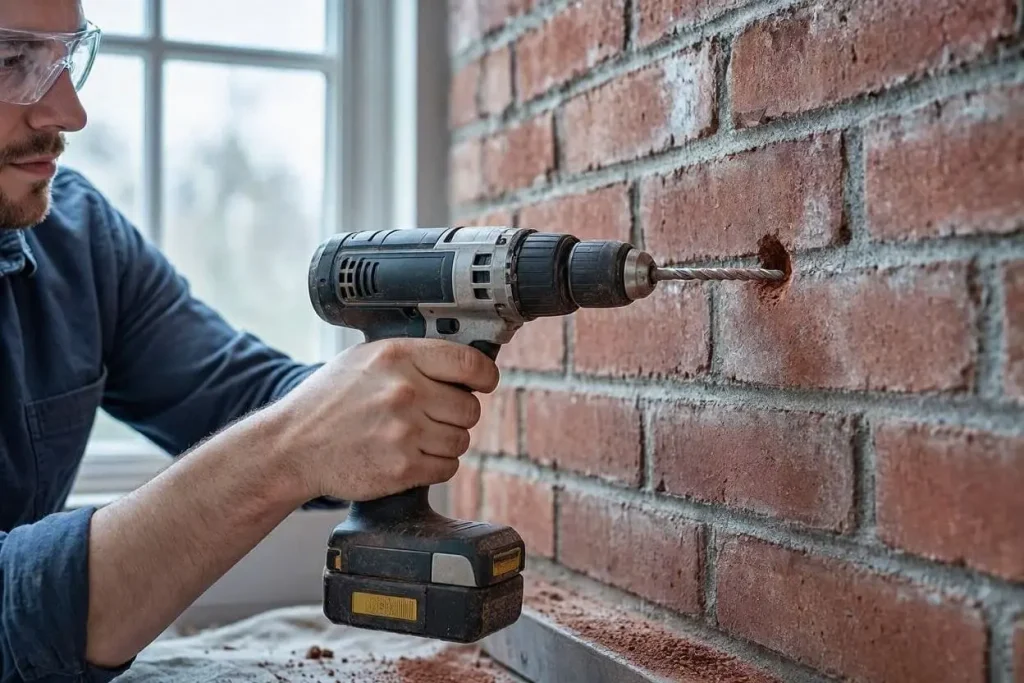
The hammer function on a cordless drill adds a rapid hammering action while the chuck rotates. It is mainly designed for drilling suitable masonry.
You’ll normally find this feature on a combi drill.
When Is the Hammer Function Useful?
A combi drill with hammer mode can be useful for jobs such as:
- Drilling into brick
- Suitable blockwork
- Fitting wall plugs
- Installing shelves and fixings
- Making holes for suitable cable or pipe fixings
You should use a suitable masonry drill bit when using hammer mode.
When Don’t You Need Hammer Mode?
You don’t normally need the hammer function for:
- Timber
- Sheet materials
- Furniture
- Screwdriving
- General drilling where hammer action isn’t required
For these jobs, use the normal drilling or screwdriving setting.
Is a Combi Drill Enough for All Masonry?
No.
A combi drill can be useful for occasional masonry drilling, but harder or more demanding masonry work may require an SDS or rotary hammer drill.
A simple rule to remember is:
Timber → normal drilling
Screws → screwdriving/clutch
Suitable masonry → hammer mode + masonry bit
Always follow the instructions for your particular drill and use the correct bit for the material.
What Chuck Size Should You Choose?
The chuck is the part of the drill that holds the bit or accessory.
Two common sizes are 10mm and 13mm. The size refers to the maximum shank diameter the chuck is designed to accept.
| Chuck size | Typical use | Main characteristic |
|---|---|---|
| 10mm | Light DIY and smaller accessories | Compact and lightweight |
| 13mm | General and heavier DIY | Wider range of accessories |
A 10mm chuck can be perfectly suitable for lighter DIY and is often found on smaller drills.
A 13mm chuck is common on many 18V drills and can give you more flexibility when using larger-shank accessories.
However, a bigger chuck doesn’t automatically make a drill better. Choose the size based on the work you expect to do.
Most modern cordless drills use keyless chucks, meaning you can tighten or release the chuck by hand without a separate chuck key.
For a beginner, a 10mm chuck can be enough for many light jobs, while a 13mm chuck provides greater flexibility if you expect to take on a wider range of DIY projects.out the work you actually expect to do and choose the drill around that.
Brushed vs Brushless Motors
When comparing cordless drills, you may notice that some models have brushed motors while others use brushless motors. For a beginner, the main thing to understand is that the motor type can affect the drill’s efficiency, maintenance requirements, performance and price.
What Is a Brushed Motor?
A brushed motor uses physical carbon brushes to transfer electrical current to the motor. This type of motor has been used in power tools for many years and can still be perfectly suitable for general DIY.
Brushed cordless drills are often found at lower price points, making them an option if you’re looking for a basic drill for occasional use. The brushes are a wear component, so they can eventually need replacing depending on how much the tool is used.
What Is a Brushless Motor?
A Cordless drills are available with either brushed or brushless motors.
The main difference is how the motor transfers electrical power.
Brushed Motors
Brushed motors use physical carbon brushes inside the motor.
They can work perfectly well for general DIY, but the brushes gradually wear and may eventually need replacing.
They are often found on more affordable cordless tools.
Brushless Motors
Brushless motors use electronic controls rather than physical brushes.
They generally offer greater efficiency and can provide advantages such as:
- Less brush maintenance
- Potentially better runtime
- Good power-to-size ratio
- Less mechanical wear within the motor
Brushless drills are often more expensive.
| Brushed | Brushless | |
|---|---|---|
| Physical brushes | Yes | No |
| Brush replacement | Eventually required | Not applicable |
| Efficiency | Generally lower | Generally higher |
| Maintenance | Brushes can wear | Less brush-related maintenance |
| Price | Often lower | Often higher |
Do You Need a Brushless Drill?
Not necessarily.
If you only use your drill occasionally for basic DIY, a good brushed model may be perfectly adequate.
If you use your drill regularly or are starting to build a collection of cordless tools, brushless is worth considering.
However, don’t choose a drill based on the motor type alone. Voltage, battery, torque, chuck size, weight, balance, speed and the intended use all matter too.
What Drill Bits Do You Need for a Cordless Drill?
Choosing the right drill bit can be just as confusing as choosing the drill itself.
When I first started using cordless drills, I found that there seemed to be a different type of bit for almost every material. In practice, you can cover most everyday DIY jobs with a relatively small selection.
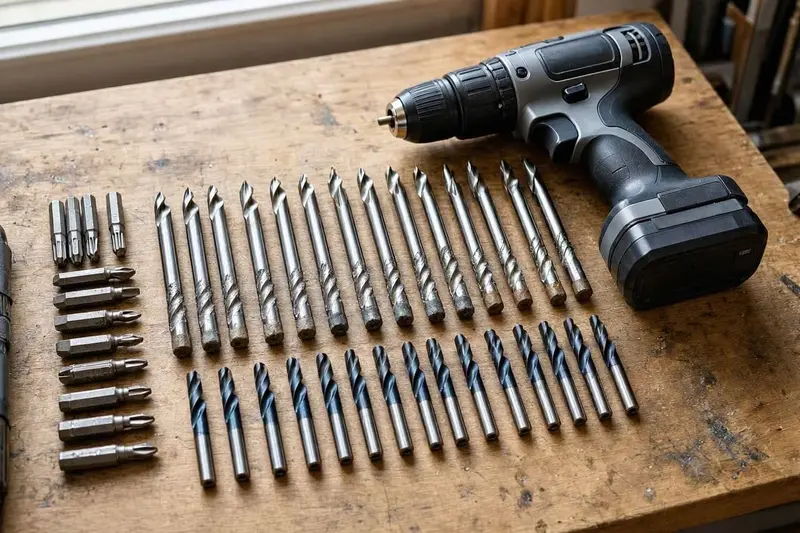
| Material or job | Bit type | Typical use |
|---|---|---|
| Timber | Wood drill bit | Holes and pilot holes |
| Brick and suitable masonry | Masonry bit | Wall plugs and fixings |
| Metal | HSS bit | Drilling suitable metal |
| Several materials | Multi-material bit | General-purpose drilling |
| Driving screws | Screwdriver bit | Screwdriving |
| Impact driver | Impact-rated accessory | Heavy screwdriving |
What Drill Bits Should a Beginner Buy?
You don’t necessarily need a huge set containing dozens of sizes.
A useful starter selection could include:
- Wood bits
- Masonry bits
- HSS metal bits
- Screwdriver bits
- Impact-rated bits if you also use an impact driver
The important thing is to choose the bit for the material you’re working with.
A simple approach is:
What am I drilling? → What size hole do I need? → Which bit is designed for that material? → Which drill setting should I use?
Using the correct bit will generally make the job easier and can help produce a cleaner result.
Cordless Drill vs Impact Driver
A cordless drill and an impact driver can look similar, but they are designed for different jobs.
A cordless drill is the more versatile tool for drilling holes and general screwdriving. An impact driver is primarily designed for driving screws and fixings, particularly longer or larger ones.
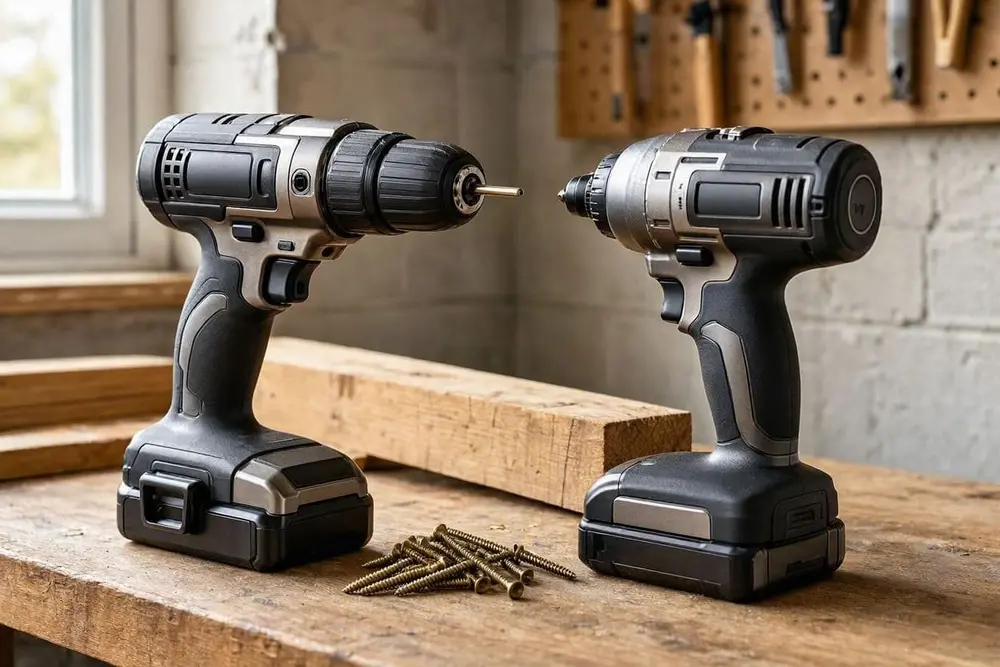
| Job | Cordless drill | Impact driver |
|---|---|---|
| Drilling timber | ✓ | Not normally |
| Drilling masonry | ✓ | ✗ |
| Making pilot holes | ✓ | Not normally |
| Furniture assembly | ✓ | Possible, but often unnecessary |
| General screwdriving | ✓ | ✓ |
| Long screws | ✓ | ✓ |
| Large timber fixings | ✓ | ✓ |
| Repeated heavy screwdriving | Possible | Particularly useful |
My Experience Using Both
I noticed the difference when I was building a deck.
I used my cordless drill to make the pilot holes, then used an impact driver to drive the longer screws into the timber.
Having both tools made the job easier, but that doesn’t mean you need both when you’re starting out.
For most beginners, a good cordless drill is the more useful first purchase. An impact driver can be added later if your projects involve a lot of long screws or larger fixings.
If you choose a battery system that also offers an impact driver, you may eventually be able to buy the impact driver as a bare tool and use your existing batteries and charger.
Which Cordless Drill Brand Should You Buy?
There are several established cordless drill brands available in the UK, including:
- DeWalt
- Makita
- Bosch
- Milwaukee
- Other established DIY and professional brands
Rather than choosing a brand simply because of its name, consider the tool specifications, battery system, price, availability and the other tools you may want in the future.
DeWalt
DeWalt’s 18V XR system includes a large range of cordless tools.
I’ve personally used an 18V DeWalt drill and have been impressed with how it performed compared with cheaper drills I’d used previously. That’s my own experience rather than a claim that DeWalt is automatically the right choice for everyone.
Makita
Makita’s 18V LXT system is another established cordless platform with a wide range of tools.
Bosch
Bosch offers cordless tools in several voltage ranges, including compact 12V tools and larger systems. Check the specific battery system because compatibility depends on the platform.
Milwaukee
Milwaukee’s M18 system includes a wide range of cordless tools and is particularly common in professional and heavy-duty applications.
What About Other Brands?
There are many other options, including tools aimed specifically at DIY users.
When comparing them, consider:
- Battery availability
- Replacement batteries
- Charger availability
- Warranty
- Spare parts
- UK retailer availability
- Tool range
- Specifications
- Price
Think About the Battery Platform
If you eventually want a circular saw, impact driver, multi-tool, reciprocating saw or angle grinder, choosing a cordless drill platform with compatible batteries can make building your tool collection simpler.
You can use different brands if you want, but sticking with one battery system can reduce the number of batteries and chargers you need.
The brand should be one part of the decision rather than the whole decision.
How Much Should You Spend on a Cordless Drill?
You don’t necessarily need to spend a fortune on a cordless drill, but the cheapest option isn’t always the best value either.
Budget Cordless Drills
A budget drill can be suitable if you only need it for occasional light DIY.
Check what you’re actually getting, particularly whether the price includes a battery and charger.
Mid-Range Cordless Drills
A mid-range drill can offer a useful balance of performance, features and price.
Depending on the model, you may find:
- 18V power systems
- Brushless motors
- Larger batteries
- Better build quality
- More torque
- Improved ergonomics
- Access to a wider battery platform
Higher-End Cordless Drills
Higher-priced drills can offer additional performance, features or build quality, but that doesn’t automatically make them the right choice for a beginner.
If you only drill a few holes and assemble furniture occasionally, you may not benefit from paying for features designed for more demanding work.
Compare the Complete Package
When comparing prices, don’t just compare the drill body.
Consider:
Drill + battery + charger + accessories
A cheaper bare tool may actually cost more once you add a compatible battery and charger.
It’s also worth thinking about the future battery system. Spending a little more on a platform you intend to keep for several years may make more sense than repeatedly replacing cheaper cordless tools.
The aim isn’t to buy the most expensive drill you can afford. It’s to buy a drill that matches the work you actually expect to do.
Beginner Cordless Drill Buying Checklist
If you’re buying your first cordless drill, it’s easy to get distracted by long specification lists.
Instead, start with the jobs you expect to do and then look at the features that actually matter.
Beginner Cordless Drill Buying Checklist
| Feature | What to look for |
|---|---|
| Voltage | 12V for lighter work; 18V for wider DIY use |
| Battery capacity | 2Ah for lighter handling; 4Ah/5Ah for more capacity |
| Battery system | Consider future cordless tools |
| Charger | Check whether one is included |
| Torque | Adjustable clutch for controlled screwdriving |
| Hammer function | Useful for suitable masonry |
| Chuck | 10mm for lighter work; 13mm for greater flexibility |
| Motor | Brushless can be useful for regular use |
| Weight | Check the weight with the battery fitted |
| Balance | Important for control and comfort |
| Grip | Should feel comfortable in your hand |
| Speed | Two-speed gearing can be useful |
| Accessories | Check what’s included |
| Warranty | Check the manufacturer’s terms |
Think About the Jobs First
Ask yourself:
- What materials will I drill?
- Will I mainly drive screws?
- Do I need to drill masonry?
- How often will I use the drill?
- Will I buy other cordless tools later?
- Is weight or handling particularly important to me?
For many beginners, the key decisions are voltage, battery platform, battery capacity and comfort.
You don’t need every available feature. You need the features that make sense for the work you’re actually going to do.
Best Cordless Drills for Different DIY Needs
The right cordless drill depends on the type of work you expect to do.
Instead of asking which drill has the biggest specification, start by asking what jobs you need it for.
| DIY need | Type to consider |
|---|---|
| Furniture and small repairs | Compact 12V drill |
| General home DIY | 18V drill |
| DIY plus occasional masonry | 18V combi drill |
| Regular masonry work | Combi or SDS drill, depending on the work |
| Larger DIY projects | Higher-performance 18V drill |
| Lots of long screws | Drill plus impact driver |
| Lightweight handling | Compact 12V drill |
General Home DIY
An 18V drill is a versatile option for many household jobs, including furniture, shelving, timber, fittings and general repairs.
Furniture and Smaller Jobs
A compact 12V drill can be easier to handle for furniture assembly and lighter work, particularly where space is limited.
Occasional Masonry
If you occasionally need to drill into suitable brick or blockwork, an 18V combi drill gives you the added flexibility of a hammer function.
Larger DIY Projects
For more demanding renovation or construction work, a higher-performance 18V drill may provide the additional capacity you need.
If you’re regularly drilling harder masonry, however, an SDS drill may be more appropriate.
Lots of Long Screws
If your projects involve lots of long screws or larger timber fixings, an impact driver can complement your cordless drill.
The main point is simple:
Choose the work first, then choose the drill.
Cordless Drill Safety for Beginners
A cordless drill is a useful DIY tool, but it still needs to be used carefully.
Before drilling, make sure the drill, battery and bit are suitable for the job and follow the manufacturer’s instructions.
Basic Cordless Drill Safety
- Wear suitable eye protection, particularly when drilling materials that can produce chips or dust.
- Control dust where necessary and use suitable respiratory protection when appropriate.
- Secure the workpiece so it cannot move while you’re drilling.
- Don’t hold small pieces in your hand while drilling them.
- Use the correct bit for the material.
- Check that the bit is securely held in the chuck.
- Check the direction, speed and drilling mode before starting.
- Keep hands away from the rotating bit.
- Be particularly careful as the bit breaks through the material.
- Before drilling walls, floors or ceilings, consider the possibility of hidden electrical cables and pipes.
- Don’t force the drill if it begins to struggle. Stop and check the bit, setting, material and drill capacity.
- Follow the manufacturer’s instructions when removing the battery or carrying out maintenance.
A few seconds spent checking the setup before drilling can help prevent avoidable problems.
Always follow the safety instructions supplied with your particular drill.
HSE guidance on Power Tools/Woodworking machinery.
Frequently Asked Questions
Is 18V enough for DIY?
For many DIYers, yes. An 18V cordless drill offers a useful balance of power, size and versatility for general home improvement.
Is a 12V drill powerful enough?
A 12V drill can be more than adequate for lighter DIY, furniture assembly, smaller holes and general household jobs.
What does Ah mean on a cordless drill battery?
Ah means amp-hours and indicates battery capacity. A higher Ah rating generally means more stored energy and potentially longer runtime, although it also usually adds weight.
Is a 5Ah battery better than a 2Ah battery?
Not automatically. A 5Ah battery generally provides more capacity, while a 2Ah battery is smaller and lighter. The better choice depends on the job.
Can cordless drill batteries be used with other tools?
Often yes, if the tools belong to the same compatible battery platform. Always check the manufacturer’s compatibility information.
Do I need a combi drill?
If you only need to drill timber and drive screws, a drill driver may be enough. A combi drill is useful if you also want to drill suitable masonry.
Do I need a brushless drill?
Not necessarily. Brushless motors can offer efficiency and other advantages, but a good brushed drill can still be suitable for occasional DIY.
Can a cordless drill drill into masonry?
A combi drill with hammer function and the correct masonry bit can handle suitable masonry. More demanding masonry work may require an SDS or rotary hammer drill.
Do I need an impact driver as well?
Not when you’re starting out. A cordless drill can handle general screwdriving. An impact driver becomes particularly useful for lots of long screws or larger fixings.
What drill bits do I need?
For general DIY, a useful starting selection includes wood bits, masonry bits, HSS metal bits and screwdriver bits.
Should I buy a kit or bare tool?
If you’re starting a battery platform, a kit containing the drill, battery and charger may make sense. Bare tools are useful when you already own compatible batteries and a charger.
How much should I spend on a cordless drill?
That depends on how often you’ll use it and what you’ll ask it to do. Compare the complete package rather than simply looking at the drill-body price.
Conclusion
Choosing the best cordless drill for DIY isn’t simply about finding the drill with the highest voltage, biggest battery or most torque.
The right choice depends on the work you expect to do, how often you’ll use the drill and how comfortable it is to handle.
For many DIYers, an 18V cordless drill provides a useful balance of power, size and versatility. A compact 12V drill can be a better option for lighter work where weight and manoeuvrability are more important.
If you expect to drill masonry, a combi drill with a suitable hammer function can give you additional versatility. If you’re regularly driving long screws into timber, an impact driver may eventually become a useful second tool.
Don’t forget the battery system either. Your first cordless drill can effectively become the starting point for a wider collection of cordless tools, so it’s worth considering which battery platform you may want to use in the future.
Most importantly, don’t get too caught up in specifications.
Look at the jobs you actually want to do, choose the appropriate voltage and battery system, make sure the drill is comfortable to use, and check exactly what comes with the kit.
The best cordless drill for you is the one that matches your DIY needs rather than simply having the biggest specification sheet.