
The DeWalt DCD776 cordless drill is a staple in many UK workshops. It’s a rugged, reliable 18V XR combi drill, but I often see people leaving it on the “Drill” setting for every job.
If you want to avoid snapping screw heads or stripping threads in soft timber, you need to master and fully understand the torque ring.
Understanding the 15-Position Torque Control
I remember seeing these numbers for the first time and being a little uncertain as to exactly what they are for. I quickly figured out the numbers on the collar aren’t just for show.
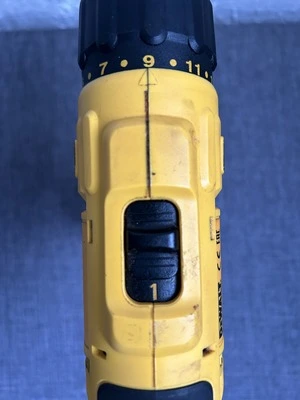
They actually control the “clutch.” What that means is when the combi drill meets a certain amount of resistance, the clutch slips so you don’t over drive the screw. You know this happens when you hear a louder “clacking noise.”
Here is an actual breakdown of the what those torque settings are best used for.
- Settings 1–5: Perfect for small screws into softwoods or cabinet hinges.
- Settings 6–10: Ideal for general DIY tasks, like putting together flat-pack furniture or fixing 20mm MDF.
- Settings 11–15: Use these for longer screws (up to 50mm-60mm) into harder timbers.
Enda’s Tip: Always start lower than you think you need. You can always click it up a notch, but you can’t “un-strip” a screw hole!
The Three Mode Icons: Drill, Drive, and Hammer
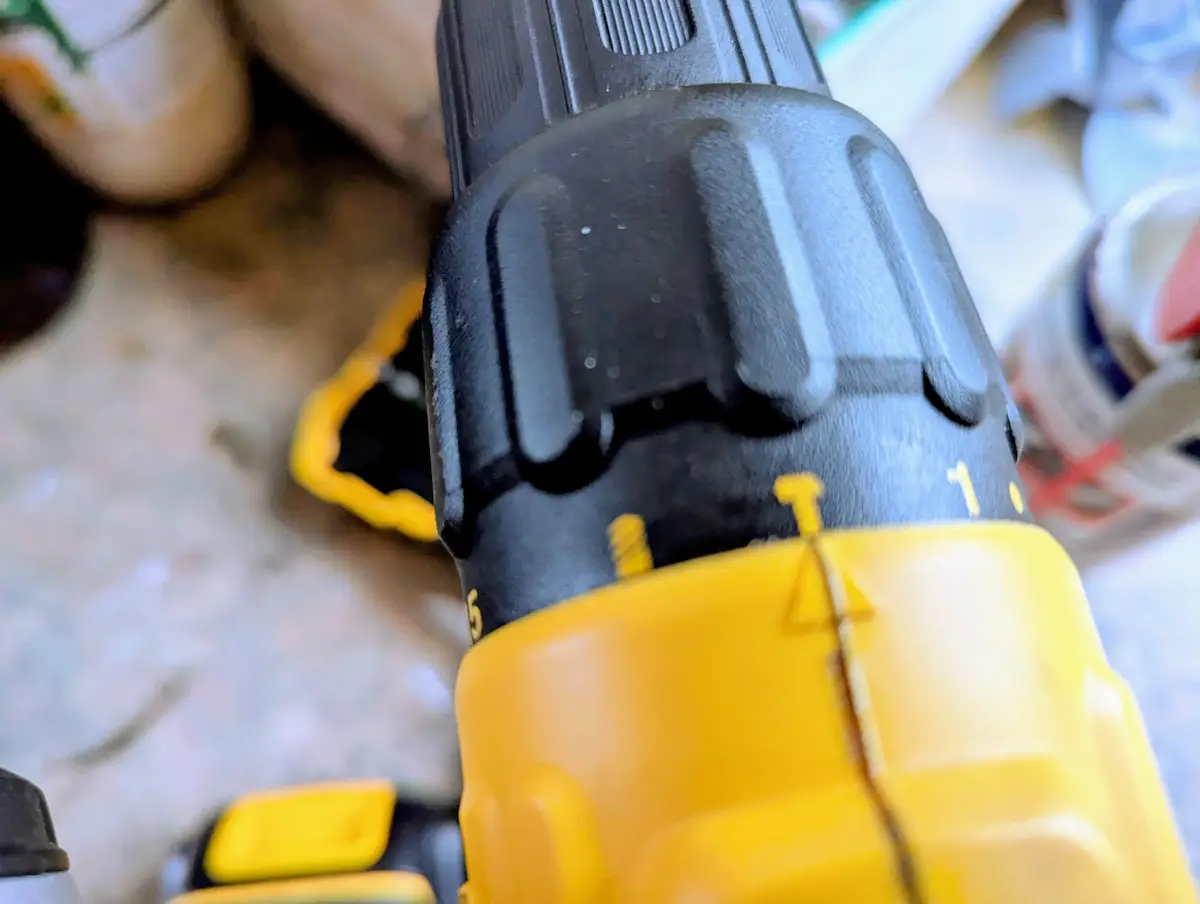
The DCD776 is a “Combi” drill, meaning it combines three tools in one. Knowing when to flip the ring past the numbers to the icons is crucial.
- Screwdriver Icon: Uses the 15 torque settings that I have mentioned above.
- Drill Bit Icon: On this setting it disengages the clutch completely. Use this for drilling into wood, metal, or plastic.
- Hammer Icon: Adds the “percussion” action. This is only for masonry (brick or light concrete). Don’t use this for wood!
Common User Failures
The “Gear 1 vs Gear 2” Rule: Don’t Burn Out Your Motor
In addition to the three settings mentioned above, you also have to think about which gear to use. On top of your DCD776, you’ll find a sliding switch labelled 1 and 2. Think of this like the gearbox in a car.
Gear 1 (Low Speed / High Torque): This is essentially your “Tractor Gear.” Use this for heavy-duty tasks like driving long screws or using large spade bits and hole saws. It provides the most mechanical advantage. If you try to drive a 4-inch screw in Gear 2, you’ll hear the motor straining, and that’s the sound of the internal heat building up.
- Gear 2 (High Speed / Low Torque): This is for speed. Use this for drilling small pilot holes (under 6mm) or driving small screws into pre-drilled holes.
Enda’s Workshop Tip: If the drill “stalls” and stops turning while your finger is on the trigger, stop immediately. Don’t keep pulsing the trigger. Switch down to Gear 1, and you’ll usually find the DCD776 has plenty of grunt to finish the job without smelling like burning plastic.
The Chuck
The DCD776 has a plastic sleeved keyless chuck. The chuck size is a 13mm (1/2 inch). This allows for fast, one handed bit changes as it has an automatic spindle lock
That makes it really versatile for various drilling and driving tasks with standard drill bits and drivers.
Enda” Tip: “If the bit is slipping, don’t just tighten it normally. Open it wide, check for dust inside the jaws, and give it a firm ‘click’ at the end to lock it. I’ve seen many people blame the motor when the chuck was just full of grit and dust.”
Bit Selection Guide
This article is about torque, but the right drill bit or driving bit matters as much as the drill.
Enda” Tip: “The DCD776 has 42Nm of torque. That’s plenty for standard PZ2 wood screws, but if you’re using it with flat drill bits (spade bits) over 25mm, use the ‘Drill’ setting and a low gear (Gear 1) to avoid stalling the motor.”
DCD776 Troubleshooting: Common Workshop Fixes
The Problem | The Likely Cause | The “Enda” Fix |
|---|---|---|
Drill bit is slipping | Dust/debris in the chuck or not “clicking” it shut. | Open the chuck fully, blow out the dust, insert the bit, and tighten until you hear the final “click” lock. |
Smell of burning/smoke | Using Gear 2 for a heavy-duty task. | Stop immediately. Switch to Gear 1 (Low Speed) and let the drill run with no load for 30 seconds to let the fan cool the motor. |
Hammer mode isn’t “hammering“ | Not enough forward pressure or drilling into wood. | Ensure the Hammer icon is selected. Apply firm, steady pressure. If you’re in wood, switch back to the Drill icon! |
Screw heads are snapping | Torque setting is too high for the material. | Turn the torque ring down to a lower number (try setting 5) and let the clutch do the work. |
Drill stops suddenly | Battery protection “cut-out” due to over-heating. | Swap for a fresh, cool battery and check you aren’t forcing the drill too hard in the wrong gear. |
Battery Choice: Is the “Compact” Pack Enough?
The DCD776 is frequently bundled with the smaller 1.5Ah or 2.0Ah XR batteries. While these are great for keeping the overall weight down (perfect for overhead work or reaching into tight cupboards), they do have limits.
In my workshop, I’m using the compact 1.5Ah pack. It makes the drill much more manoeuvrable, but you will notice a “voltage sag” faster than you would with the larger 5.0Ah packs if you’re driving dozens of 3-inch screws.
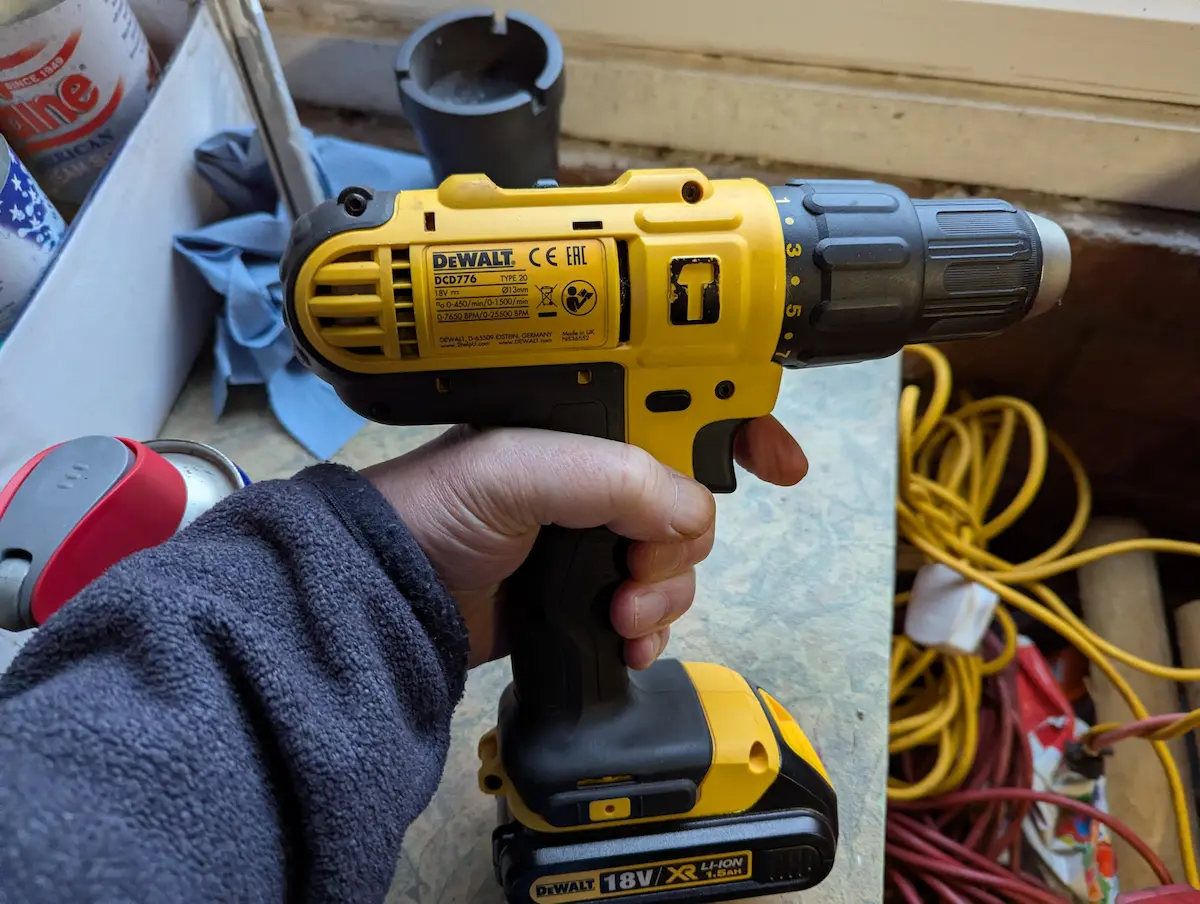
Enda’s Workshop Tip: If you’re doing a big project, keep one on the charger while you work. These smaller packs charge incredibly fast, often in under 30 minutes, which is the “pro” way to use a compact setup without downtime.
Looking to build your first kit? Check out my DeWalt Starter Guide (Coming Soon) to see how this drill fits into a full set.”